

Appearance
Teleconsultation Integration
Biograph supports teleconsultation workflows, enabling practitioners to conduct remote consultations using video conferencing.
Teleconsultation is implemented as an extension of the Patient Appointment workflow, where appointments can be enabled for video consultation.
Overview
Teleconsultation in Biograph works by integrating with Google Meet via Google Calendar.
When a teleconsultation appointment is created:
- A Google Calendar event is generated
- A Google Meet link is created
- The link is attached to the appointment
- The patient receives the meeting link via email
The clinical workflow (encounter, prescriptions, and billing) remains the same as in-person consultations.
Teleconsultation Setup (Prerequisite)
Before using teleconsultation, Google integration must be configured.
Required Configuration
- Google Cloud Project creation
- Google Calendar API enabled
- OAuth Consent Screen configured
- OAuth Client ID & Secret generated
- Credentials added in Google Settings
- Google account authorization completed
Without this setup, video conferencing links cannot be generated.
System Configuration in Biograph
1. Google Settings
Navigation:
Integrations → Google Settings
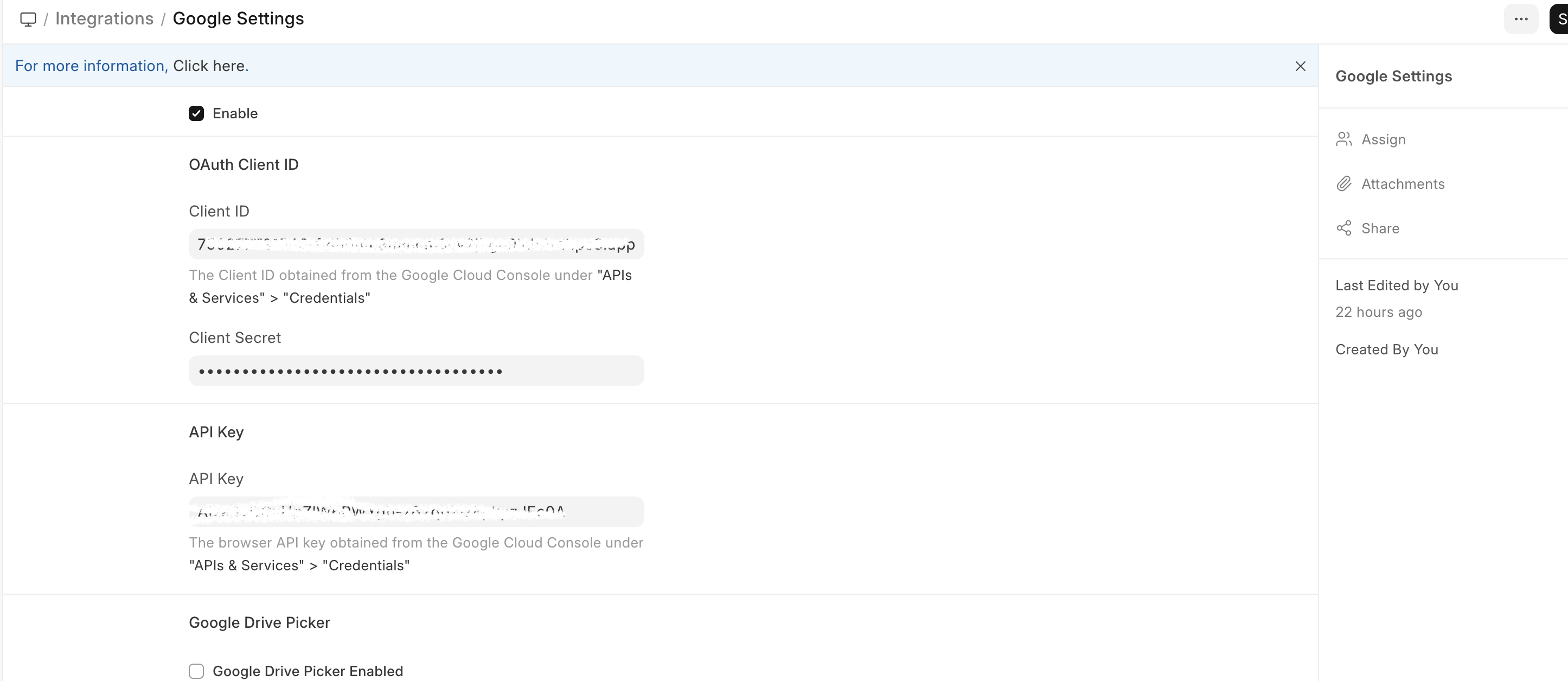
Configure the following:
- Enable Google Integration
- Add OAuth Client ID
- Add Client Secret
- Add API Key
- Complete authorization
2. Healthcare Settings
Navigation:
Setup → Healthcare Settings
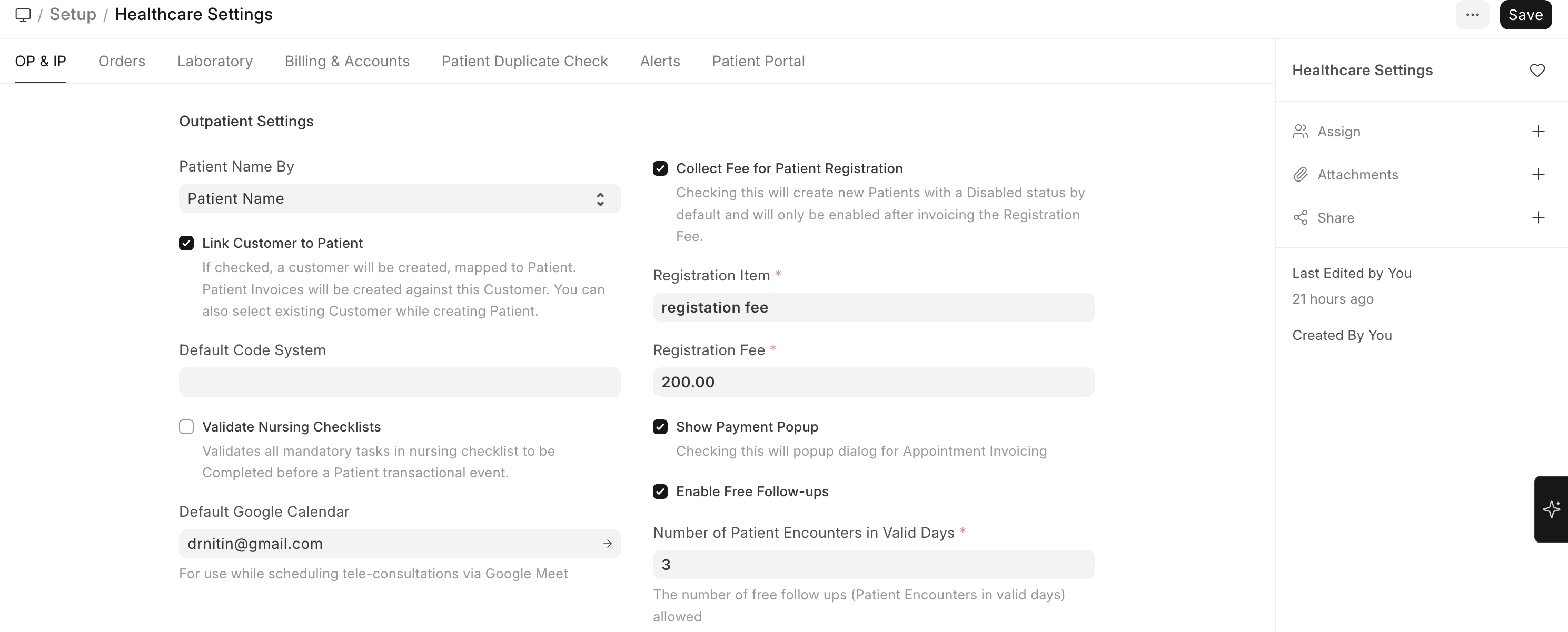
Ensure:
- Default Google Calendar is configured
This calendar is used to generate Google Meet links for teleconsultation.
Creating a Teleconsultation Appointment
Navigate to:
Home → Healthcare → Patient Appointment
Steps
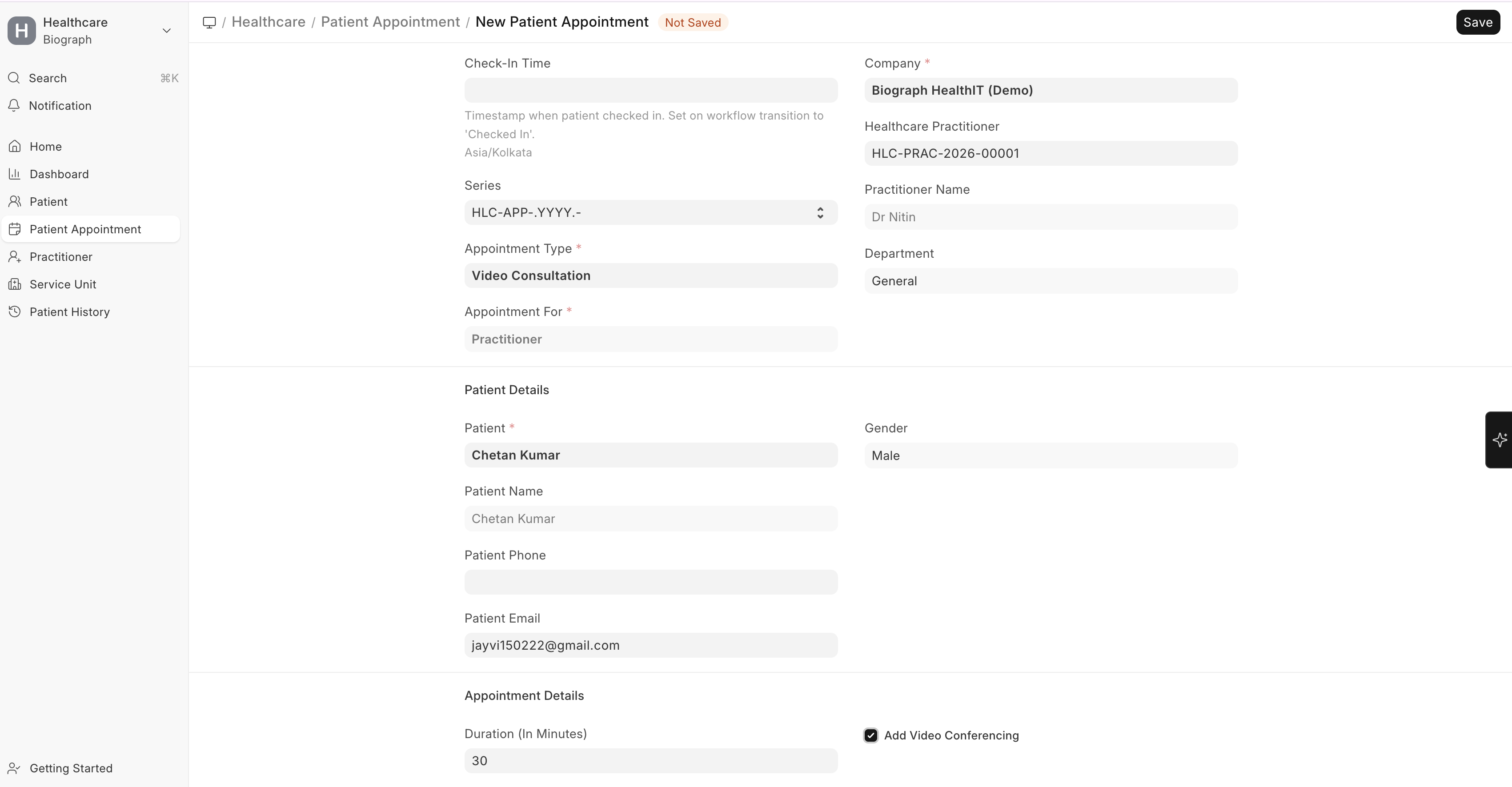
- Go to Patient Appointment
- Click + Add Patient Appointment
- Fill in required details:
- Patient
- Practitioner
- Appointment Type
- Date & Time
- Enable:
- Add Video Conferencing
- Save the appointment
The standard appointment creation flow remains the same.
What Happens After Saving
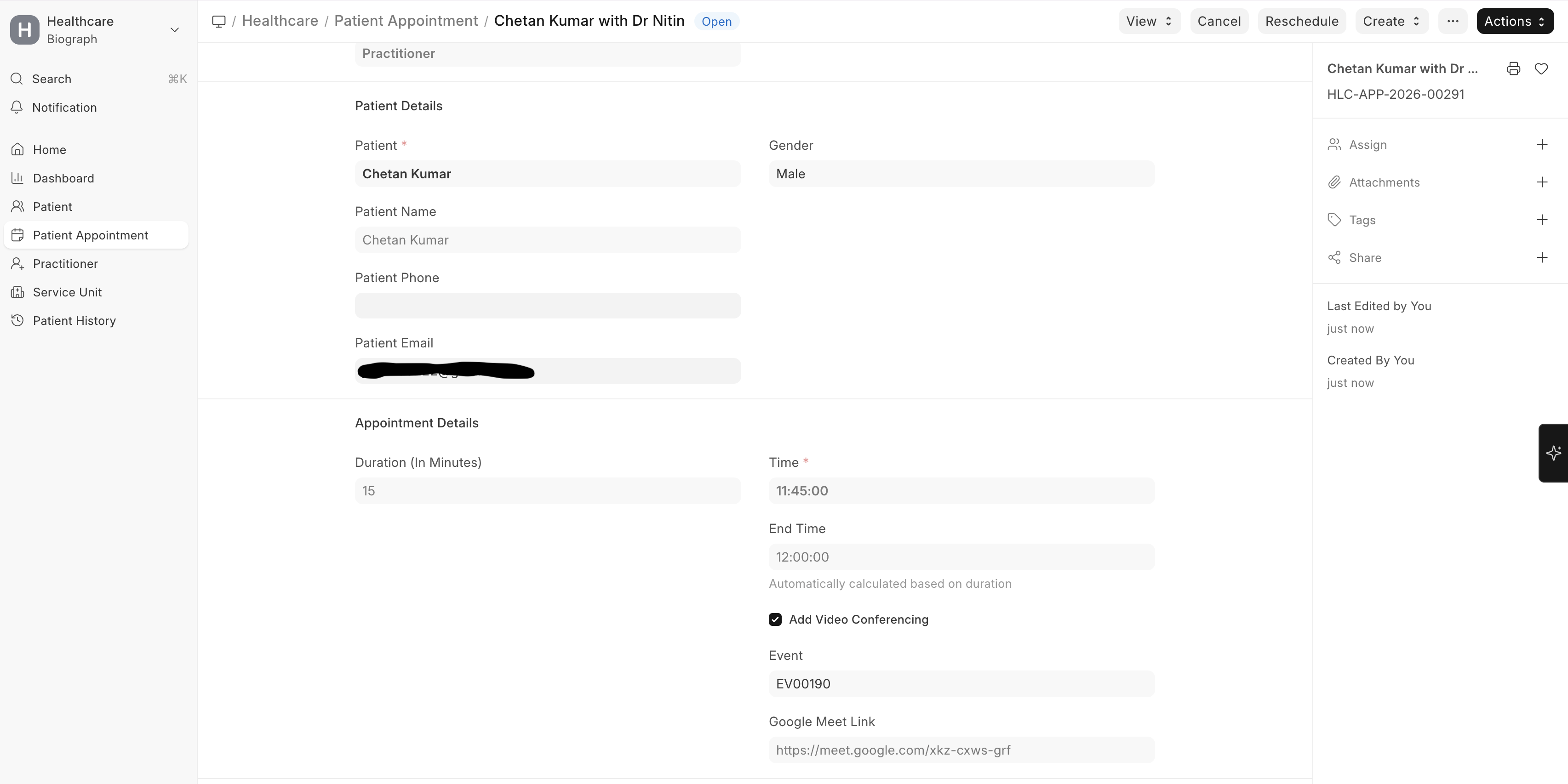
When Add Video Conferencing is enabled:
- A Google Calendar event is created
- A Google Meet link is generated
- The link is stored in the
google_meet_linkfield in the appointment - The patient receives an email notification with the meeting link
End-to-End Teleconsultation Flow
Step 1: Appointment Booking
- Appointment is created with Add Video Conferencing enabled
- System generates the meeting link
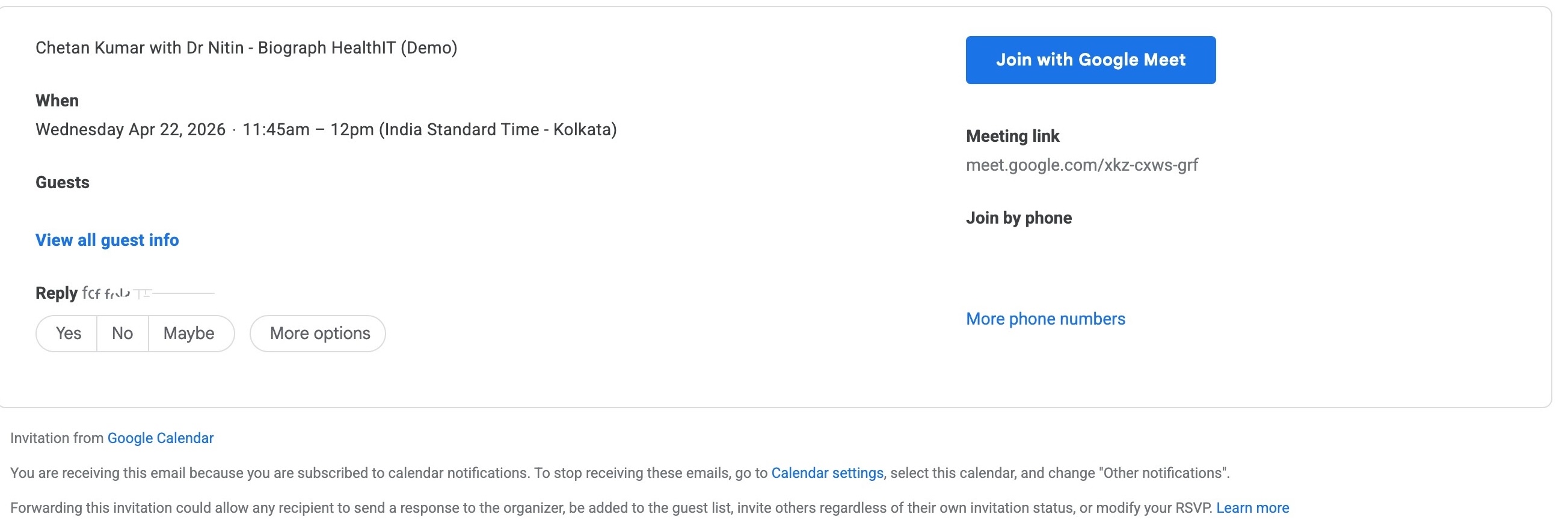
Step 2: Notification
Practitioner receives:
- Calendar event (if configured)
Patient receives:
- Receives email with Google Meet link
Step 3: Consultation Preparation
- Appointment appears in the system
- Encounter can be created from the appointment
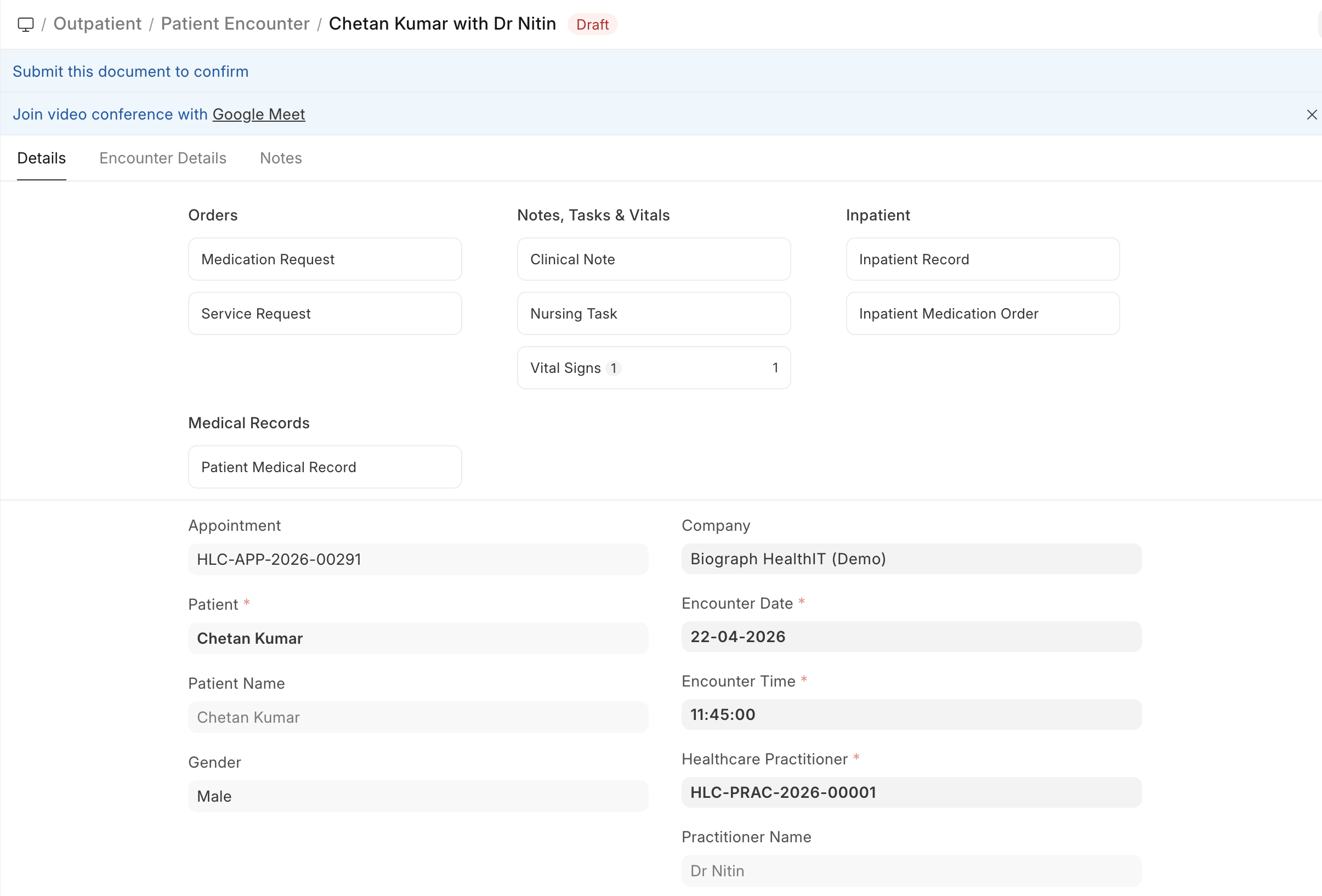
Step 4: Joining Consultation
Practitioner
- Opens Patient Encounter
- Clicks “Join video conference with Google Meet”
Patient
- Joins using:
- Email link
- Google Calendar invite
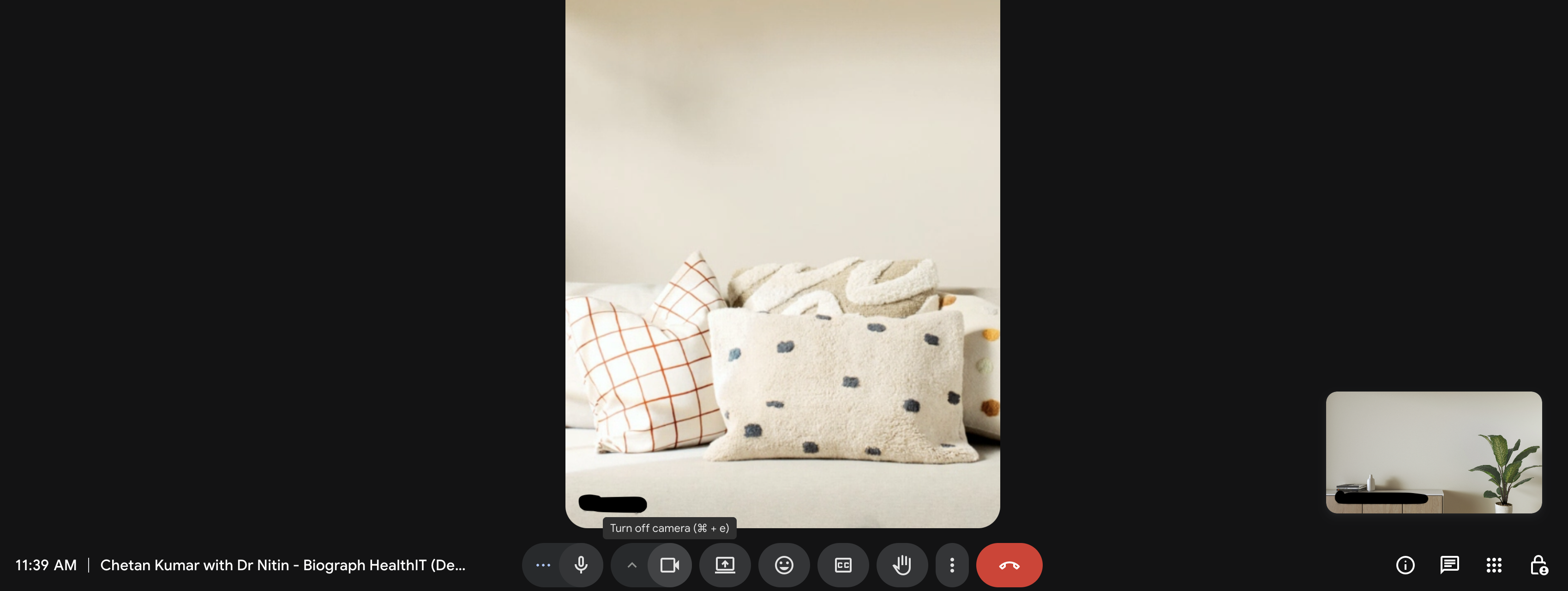
Step 5: Consultation Execution
- Consultation takes place on Google Meet (external)
- Clinical data is recorded in Patient Encounter
Step 6: Post Consultation
Doctor records:
- Diagnosis
- Prescription
- Notes
Billing follows the standard appointment workflow.
System Components Involved
| Component | Role |
|---|---|
| Patient Appointment | Booking teleconsultation |
| Add Video Conferencing | Enables teleconsultation |
| Google Calendar | Event creation |
| Google Meet | Video consultation |
| Patient Encounter | Consultation documentation |
Key Notes
- Teleconsultation is not a separate module
- It is built on top of the existing appointment workflow
- Video consultation is conducted via Google Meet
- Clinical and billing workflows remain unchanged
Summary
Biograph supports teleconsultation using Google Meet via Google Calendar integration, where video consultation links are generated during appointment booking.
The consultation itself is conducted externally, while all clinical and billing workflows are managed within the system.