

Appearance
Facility Setup
Clinic Setup
For a single clinic or outpatient facility:
- Create the Company in ERPNext (if not already done)
- Create a root Healthcare Service Unit for your clinic
- Add child service units for each consultation room
- Set up Medical Departments relevant to your practice
- Configure Healthcare Settings with your company and default values
Inpatient Facility Setup
For hospitals with inpatient capabilities:
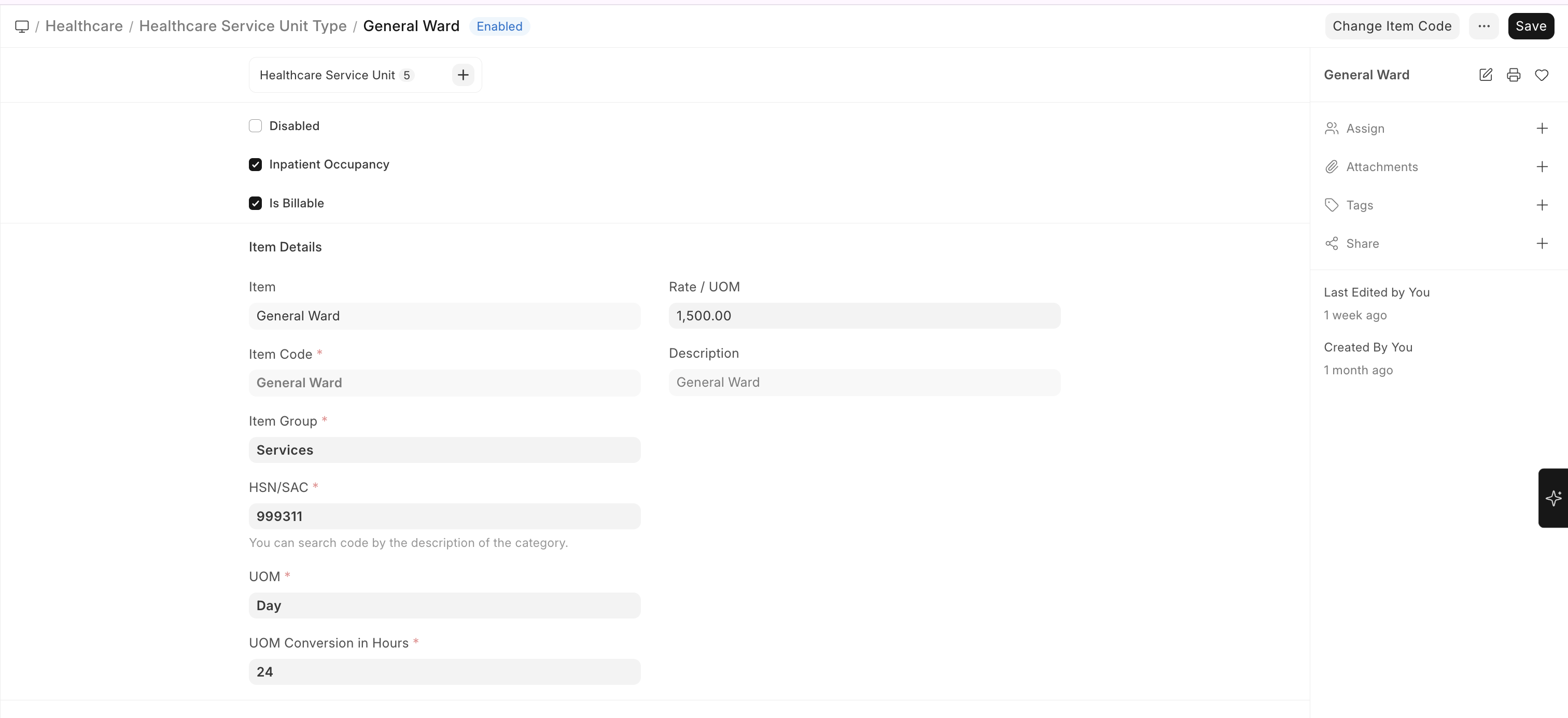
- Create Healthcare Service Unit Types for:
- General Ward (with Inpatient Occupancy enabled)
- Private Room (with Inpatient Occupancy enabled)
- ICU (with Inpatient Occupancy enabled)
- Create the ward structure as a service unit tree
- Enable inpatient-related settings in Healthcare Settings
Bed & Occupancy Setup
- Create a Healthcare Service Unit Type with Inpatient Occupancy checked
- Create individual bed units under ward service units
- Each bed is a leaf-level service unit marked as Occupiable
- The system automatically tracks bed availability and occupancy status

Laboratory Setup
- Create a Healthcare Service Unit for your laboratory
- Create Lab Test Templates for each test your lab performs
- Configure Lab Test Samples (Blood, Urine, Sputum, etc.)
- Set up Observation Templates with reference ranges
- Define normal/abnormal value ranges for automated flagging
Lab Test Templates
To create a Lab Test Template:
Home → Healthcare → Setup → Lab Test Template → New
Lab Test Sample
To create a Lab Test Sample:
Home → Healthcare → Setup → Lab Test Sample → New
Lab Test UOM
To create a Lab Test UOM:
Home → Healthcare → Setup → Lab Test UOM → New
Pharmacy Setup
Biograph uses ERPNext's Stock module for pharmacy management:
- Create a Warehouse for your pharmacy in ERPNext
- Set up Items for each medication with stock tracking enabled
- Create Medication records linking to ERPNext Items
- Configure Dosage Forms and Prescription Dosages